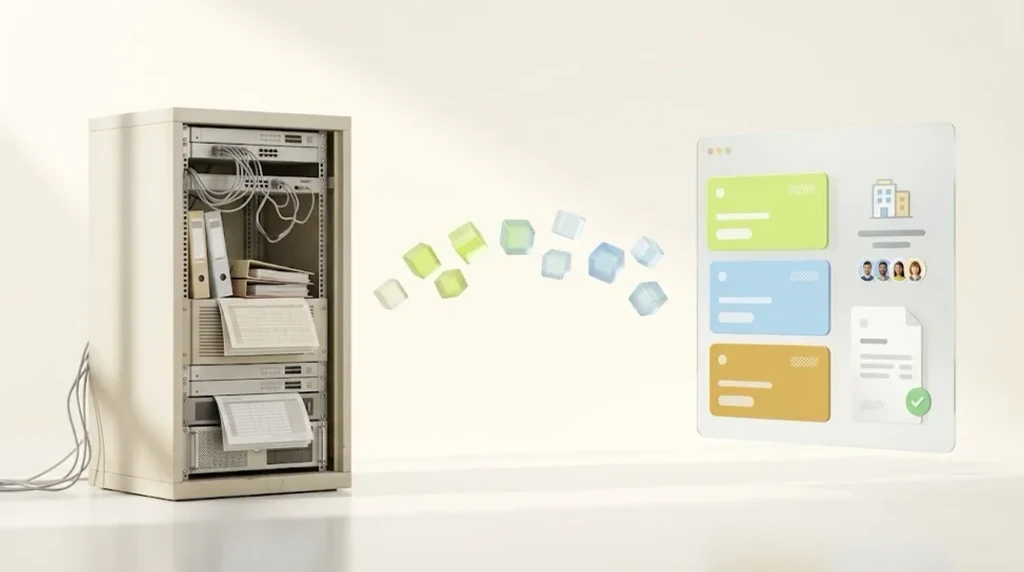


Since April 2, 2026, company accounts, B2B catalogs, volume pricing and payment terms are included in every Shopify plan. Without Plus you get a maximum of 3 active catalogs, assigned to markets instead of companies. For more price lists, per-company pricing or deposits you need Plus from EUR 2,100 per month. In Germany, net price display, e-invoicing and secured invoice payment require additional apps.
As of November 2026. Shopify updates its B2B features regularly. Sources are listed at the end of the article. Tax and legal topics are general orientation, not legal or tax advice.
Until recently, the answer to “Can Shopify do B2B?” was simple: yes, with Shopify Plus. For many merchants who also supply retailers, key accounts or businesses alongside their consumer business, that was too expensive. So B2B orders kept coming in by email, spreadsheet and phone, or through a handful of apps that never quite fit together.
Since April 2026, that has changed. And that’s exactly why a large share of the guides online are out of date. Some still assume “B2B only with Plus,” others recommend Shopify Scripts, which stopped running on June 30, 2026.
This article gives you an up-to-date picture: what Shopify B2B can do natively today, where the limits are (especially for merchants in Germany and the EU), how to work out whether 3 catalogs are enough, and in which order to make the decisions when setting it up. I’m not writing this as a click-by-click guide, but from the perspective I use as a consultant: which decision do you have to make, and what will it cost you later if you get it wrong?
Shopify B2B at a glance
In 2026, Shopify B2B covers the core needs of most mid-sized merchants. The hard limit without Plus is the number of price lists. The following overview is based on the feature set in the Shopify Help Center (as of November 2026).
| Feature | Basic, Grow, Advanced | Plus | What you need to know |
|---|---|---|---|
| Companies with locations and contacts | Yes | Yes | Two permission levels: manage location or order only |
| B2B catalogs (price lists, assortments) | Max. 3 active | Unlimited | Without Plus assigned via markets, not per company |
| Catalog assigned directly to company or location | No | Yes | Key for customer-specific pricing |
| Quantity rules (minimum, maximum, increment) | Yes | Yes | Pack sizes can be modeled |
| Volume pricing | Yes | Yes | Per catalog |
| Payment terms with reminders | Yes | Yes | No credit check, no default protection |
| Deposits, partial payments | No | Yes | Relevant for project and custom orders |
| Vaulted credit cards | Yes | Yes | |
| Customer purchase order number (PO) | Yes | Yes | |
| Draft order to invoice, checkout to draft | Yes | Yes | Basis for quotes and review processes |
| Reorder, quick order list | Yes | Yes | Theme must support it |
| Company registration with approval | Yes | Yes | Via the company account request form |
| Shopify Flow for B2B | Yes | Yes | Automate, tag, notify |
| Context-aware storefront and checkout (by market) | From Advanced | Yes | Theme content by customer type (B2B/D2C): Plus only |
| Checkout customization | Barely | Yes | In my experience largely Plus only (not documented) |
What changed in 2026, and which guides are now outdated
In 2026, Shopify opened B2B to all plans and switched off the old Scripts at the same time. Both change what a good guide should recommend today.
- April 2, 2026: B2B on all plans (context: SparkLayer). Companies, catalogs, quantity rules, volume pricing and payment terms have been included in Basic, Grow and Advanced since then. Before, native B2B was reserved for Plus. If you still read “B2B requires Plus,” you’re reading an old version.
- June 30, 2026: Shopify Scripts switched off. According to the Shopify changelog, editing and publishing Scripts ended on April 15, 2026, and all Scripts stopped running on June 30, 2026. Guides that hide payment methods for B2B customers via a script no longer work. The successor is Shopify Functions.
- Checkout customization is limited. Customizations made via checkout.liquid are not compatible with B2B according to the Help Center. I couldn’t find documented which checkout extensions are available on which plan; in my experience, deep changes are largely reserved for Plus.
What Shopify B2B can do natively
Natively, Shopify B2B now handles company accounts, price lists, quantity logic, payment terms and the typical ordering flows of business customers. That’s more than most people expect, and enough for many merchants.
Companies, locations and contacts
In Shopify, a company is a separate object, not a customer account with a company name. Below it sit locations (headquarters, branches, warehouses) with their own addresses, payment terms and catalogs, and contacts, the individual people who place orders.
According to the Help Center, contacts have two permission levels: “Ordering only” (place orders and view their own orders) or “Location admin” (additionally view all orders of the location and update addresses). I haven’t found finer-grained roles.
Catalogs, volume pricing and quantity rules
A catalog defines which products a company sees and at what price. You can set prices as fixed values or as a percentage adjustment from the standard price. Per product, you add volume pricing (cheaper from 10 units, cheaper still from 50) and quantity rules: minimum, maximum and increment. The increment lets you model pack sizes, for example orderable only in multiples of 6.
Payment terms
You can set payment terms per location, such as net 30 or due on fulfillment. Shopify sets due dates, sends payment reminders and shows overdue orders.
Ordering flows
Business customers order differently than consumers. Shopify supports this with a quick order list, reordering from past orders, the customer’s purchase order number and draft orders you can send as invoices. A customer can also submit their cart to you as a draft instead of buying directly. That’s the basis for simple quote processes.
Registration with approval
Via the company account request form (which requires the Shopify Forms app), new business customers can register themselves. They only see B2B prices once you’ve reviewed and approved the request. That’s the right place to check VAT IDs and proof of business. Details on the process: Shopify Help Center.
Automation with Shopify Flow
Shopify Flow knows B2B objects. You can use it to automatically tag B2B orders, notify your team about new company orders or send invoices to several email addresses at a company. According to wavect.io (September 2026), Flow is for orchestration: it can notify and route, but it doesn’t prevent an order from being created. The Flow templates for B2B cover tagging, notifications and approving new customers, among other things.
Are 3 catalogs enough? The calculation nobody does before launch
Whether 3 catalogs are enough depends not only on your price tiers, but also on your countries and currencies. This is the point where most B2B projects without Plus stumble, because nobody works it out before launch.
Two rules from the Shopify documentation drive the calculation:
- The 3 catalog assignments apply across all active B2B markets combined. Assign 3 catalogs to one market, and you’ve used up the allowance.
- Without Plus, catalogs are assigned to markets, not companies. So a price tier is modeled via a market that contains the companies in that tier.
That leads to a rule of thumb: price tiers times currencies is the minimum number of catalogs. If one catalog can’t be used for several countries with the same currency, it becomes price tiers times countries. How flexible the assignment is in your setup is something you should test in the admin before you commit to a plan.
| Scenario | Calculation | Catalogs | Enough without Plus? |
|---|---|---|---|
| Germany only, retailers and wholesalers | 2 tiers × 1 currency | 2 | Yes |
| Germany and Austria, 2 tiers | 2 × 1 (EUR) to 2 × 2 | 2 to 4 | Edge case, test it |
| Germany, Austria, Switzerland, 2 tiers | 2 × 2 (EUR, CHF) to 2 × 3 | 4 to 6 | No |
| Germany only, 4 customer groups | 4 × 1 | 4 | No |
| Germany only, prices per key account | Catalog per company | Plus feature | No |
If the calculation goes above 3, you have two options: Plus, with unlimited catalogs and direct assignment to companies, or your ERP handles price calculation and a connector or app writes the prices into the store. The second option is cheaper on the plan but more work on the integration.
Run the numbers for your own setup. The check shows how many catalogs you need, which plan fits and what you’ll need on top:
B2B plan check: which Shopify plan is enough for your B2B?
Where Shopify B2B hits its limits
Shopify B2B mainly hits its limits with complex approvals, quotes, large orders and risk management. None of these is a deal-breaker on its own, but each needs a solution before launch.
| Limit | What exactly is missing | Solution |
|---|---|---|
| Approval workflows | No native approval chains with budgets or limits (per wavect.io). Natively only: all orders of a location arrive as drafts for you | App (e.g. for spending limits and approvals) or custom development |
| Roles | Only two levels: manage location or order only | Adjust the process or use an app |
| Quotes | Natively only via draft orders. I haven’t found buyer-initiated quotes, versions or expiry dates as native features | Quote app or quotes in the ERP |
| Payment terms | No credit check, no credit limits, no default protection | Invoice payment provider (e.g. Billie, Mondu) |
| Large orders | Orders and draft orders are limited to 500 line items per the Help Center | Split large assortment orders or use ERP/EDI |
| Payment methods in the B2B checkout | Accelerated checkouts (Shop Pay, Apple Pay, Google Pay, Amazon Pay) are not compatible with B2B | Usually fine for B2B, check for small business customers |
| EDI | I haven’t found a native EDI integration in the documentation | Middleware or ERP |
| Checkout customization | Extra fields and custom logic largely Plus only | Plus or simplify the process |
What’s different in Germany and the EU
For merchants in Germany, Shopify B2B adds four topics that international guides barely cover: price display, VAT, invoice payment and invoice format. Several of them apply across the EU as well.
Net or gross: price display
Shopify controls tax display via markets, not via customer type. In the B2B checkout, Shopify calculates net prices for tax-exempt companies. In the storefront, on collection and product pages, customers see prices according to how the market is configured.
For a pure B2B store, that’s easy: set the market to net prices. For a blended store, where consumers see gross prices and company customers see net prices after logging in, you’ll usually need an app like Exemptify or a separate B2B market.
Legally, the German price indication ordinance regulates price indication toward consumers, see section 1 PAngV (German). How to properly separate a B2B area is something to clarify with your legal advisor (not legal advice). The point about market-controlled tax display is based on okau.de (German, as of September 24, 2026).
VAT IDs and reverse charge
Shopify Tax validates VAT numbers you enter on a company location with an EU or UK address (Shopify Help Center). The automatic check for the tax exemption at checkout is not available in the B2B-specific checkout according to okau.de (as of September 24, 2026). In practice, you check the VAT ID when approving the company and store the tax exemption on the company location, where you can choose “Collect tax”, “Don’t collect tax” or “Collect tax unless exemptions apply”.
Important: under section 6a UStG (German), tax exemption for supplies to businesses in other EU member states requires, among other things, a valid VAT ID of the buyer from another member state. When a German merchant sells to a German company, VAT is usually charged as normal; the reverse charge under section 13b UStG (German) only covers certain product groups for domestic supplies. For foreign VAT IDs, the German Federal Central Tax Office offers simple and qualified confirmation requests (German). For third countries such as Switzerland, other rules apply that I don’t cover here. The tax treatment belongs with your tax advisor, not in a store configuration done by gut feeling (not tax advice).
Invoice payment: payment terms aren’t the same as protection
Native payment terms organize due dates. The default risk stays entirely with you. For existing customers you know, that’s often fine. For new company customers who register themselves, you should plan for an invoice payment provider like Billie or Mondu. Mondu states it takes on the default risk; Billie’s app listing doesn’t spell this out. According to the Billie app listing, a minimum exposure fee and a percentage-based transaction fee apply, but the page doesn’t give amounts. Clarify conditions directly with the provider. You’ll find an overview of the options in my (German) article on Shopify payment methods.
Early payment discount (Skonto)
An early payment discount (“Skonto”) is common in German B2B, but I couldn’t find a native early payment discount feature in Shopify’s payment terms. You can show the discount on the invoice and settle it in your ERP or accounting when the payment comes in. The key is to sort this out before launch, otherwise store, invoice and accounting won’t match.
E-invoicing
For B2B supplies between German businesses, section 14 UStG (German) provides for the electronic invoice in a structured format, and the transitional rules are in section 27 (38) UStG (German; as of November 2026). Since January 1, 2025, businesses have had to be able to receive e-invoices. The obligation to issue them follows in stages: for supplies until the end of 2026, paper or, with the recipient’s consent, other electronic formats are still permitted. For supplies in 2027, that only applies to companies with prior-year revenue of up to EUR 800,000; from 2028 it applies to everyone. The format has to comply with the European standard (EN 16931) or be interoperable with it. In my assessment that typically means XRechnung or ZUGFeRD; confirm this with your tax advisor before deciding (not tax advice).
To my knowledge, Shopify doesn’t create e-invoices on its own. So you need an invoicing app that supports ZUGFeRD or XRechnung (the Sufio page (German) mentions ZUGFeRD support and labeled the feature a public beta when I checked), or you issue B2B invoices in your ERP or accounting system. Have the provider confirm that the format meets EN 16931 before you decide. More on the topic in my (German) article on automating Shopify accounting.
One store or two? Separate or blend B2B and B2C
For most merchants, one shared store for B2B and B2C is the right choice. Separate stores only pay off when the two businesses are genuinely different. This decision is hard to reverse later.
One shared store fits if you sell similar products to both groups, share inventory and one team runs both channels. B2B is then a different buying context, not a different business. For a storefront and checkout that adapt by market, you need Advanced. Theme content by customer type (B2B/D2C) in the theme editor is only available on Plus according to the Help Center.
Separate stores fit if you deliberately reserve stock for resellers, B2B needs completely different navigation and ordering logic, or the two brands should look clearly distinct. But a second store means a second subscription, a second theme and double maintenance. With Plus, you can use an expansion store for this (see the Shopify Help Center).
Blended stores have three typical pitfalls: B2B discount codes that also work for consumers, B2B orders that can’t be told apart from B2C in reports, and company customers who can’t tell whether they’re seeing trade or retail prices. You solve all three with tags, customer segments and clear labeling in the theme.
Setting up Shopify B2B: the decisions in the right order
A B2B setup succeeds when you make the decisions in the right order, not when you click through the settings in the right order. These eight steps build on each other.
1. Where does your pricing logic live? In the ERP or in the store? If prices, terms and special prices are maintained in the ERP, Shopify only displays them and a connector syncs. If the logic is supposed to live in the store, you need to be able to model it in catalogs. This question decides everything else.
2. One store or two? See above. This decision is the hardest to reverse, so it comes early.
3. Plan your markets. Which countries, which currencies, which price display per market? Without Plus, your catalogs are tied to markets, so the market structure determines how many catalogs you use.
4. Plan catalogs and choose a plan. Do the catalog calculation from the section above. Only then is it clear whether Grow, Advanced or Plus.
5. Registration and approval. How do new company customers get into the store? Self-registration via the request form with review, or invitation by sales only? What do you check on approval (VAT ID, proof of business)?
6. Taxes, payment and invoicing. Net price display, tax exemption, payment terms per location, invoice payment provider, invoice format and early payment discount. This is where most app decisions happen.
7. Theme. Your theme must be able to display B2B features like the quick order list, quantity rules and volume pricing. Shopify offers the “Trade” theme specifically for B2B, and according to the Help Center Horizon is also compatible with B2B features. With custom themes, check that all B2B elements display correctly.
8. Pilot phase with real customers. Let five to ten company customers you have a good relationship with order for two to four weeks before inviting everyone. They’ll find the errors no test plan finds: incorrectly set up locations, price breaks that calculate wrong and SKUs that look different than in the ERP.
Before you click: have your B2B setup reviewed.
In the B2B setup review, we go through your markets, catalogs, tax logic and ERP integration before you build anything. Afterwards, you'll know which plan fits, which apps you need and where the pitfalls in your setup are.
ERP integration: what a connector must handle for B2B
For B2B, an ERP connector has to do more than sync products, stock and orders. It also has to sync companies, catalogs, volume pricing and payment terms. That’s exactly where many standard connectors fail.
Ask your ERP provider or integration partner specifically about these points:
- Companies and locations: Are companies from the ERP created as Shopify companies with locations, or just as simple customers?
- Catalogs and prices: Are price lists and volume pricing written into Shopify catalogs?
- Payment terms: Do payment terms per customer come from the ERP?
- Orders back: Do B2B orders arrive in the ERP with company, location and the customer’s PO number?
- Error log: Can you see when a sync fails before the customer notices?
The differences are big. Xentral, for example, lists support for customer-group pricing and syncing volume pricing for Shopify B2B catalogs in its Shopify connector changelog (German, entry of September 12, 2024). For the official JTL connector, I haven’t found documented B2B catalog support. These are vendor claims, not tests. Ask for a demo of the B2B features with your own data before you decide.
For a detailed comparison of how well Billbee, JTL, Xentral and plentyONE connect to Shopify, see my article on connecting Shopify to an ERP.
How store, inventory management and ERP fundamentally work together is covered in my (German) article on WMS, inventory management and ERP for Shopify.
A practical example: at bedrop, one of my projects in natural bee products, interfaces to inventory management and marketing tools were connected.
B2B SEO: what Google sees of your B2B store
A B2B store is only as visible to Google as you make it public. If your entire catalog sits behind a login, it won’t rank. That’s a decision, not a side issue.
Most B2B merchants do best with a public catalog without trade prices: products, descriptions, technical data and SKUs are public and indexable, while trade prices and the ordering process sit behind the login. That way you’re found for product and SKU searches without revealing your terms.
Keep three points in mind:
- Structured data: If Google sees a price in the product schema, it should be the public price, not a trade price.
- Google Shopping: The product feed uses public prices. In a blended store, those are your consumer prices.
- B2B search terms: Business customers search differently, often with SKUs, standards or quantities (“wholesale,” “from 100 units,” “become a reseller”). A “become a reseller” page with clear terms is often the most important B2B landing page.
What does Shopify B2B cost?
On an ongoing basis, Shopify B2B costs the plan plus apps and possibly an ERP connector. The biggest difference is whether you need Plus.
| Item | Cost per month (monthly billing) |
|---|---|
| Grow | EUR 105 |
| Advanced | EUR 384 |
| Plus | from EUR 2,100 |
| Net price app | e.g. Exemptify from USD 4.99 |
| Invoicing app with e-invoicing | experience: roughly EUR 15 to 50 |
| ERP connector | experience: roughly EUR 50 to 300 |
| Invoice payment provider | per order, depending on the provider |
Plan prices come from the Shopify pricing page (German); I checked the Exemptify price in its app listing (all as of November 2026). The other app and connector costs are rough experience-based guidelines. With annual billing, the plans are cheaper: according to Shopify, Basic EUR 27, Grow EUR 79 and Advanced EUR 289 per month.
One-time costs mainly depend on two things: how complex your pricing logic is and whether an ERP is integrated. A B2B area in an existing store with two price tiers and no ERP is a manageable project. An ERP integration with company and price sync is an integration project.
If you’re currently weighing whether Plus pays off overall, you’ll find the detailed calculation in my (German) article on the Shopify Plus upgrade.
When Shopify isn’t the right fit for your B2B
Shopify isn’t the right fit if your B2B business depends on complex purchasing organizations, deeply customized pricing logic in the store, or strict requirements for hosting and data storage.
Specifically, these situations:
- Multi-level approvals with budgets are everyday business. If your customers are large organizations with purchasing departments and approval chains are used daily, specialized B2B systems are built for that.
- Your pricing logic lives in the store and can’t be moved to the ERP. Hundreds of customer-specific pricing rules that only the store knows are a major project on Shopify, even with Plus.
- Quotes are your main sales channel. If most deals run through negotiated quotes with several rounds, Shopify is more of an ordering portal than your sales system.
- You strictly need hosting in Germany or your own infrastructure. Then a SaaS platform is fundamentally the wrong choice, and Shopware or another self-hosted solution fits better.
If you’re currently on OXID and facing exactly this decision, I’ve worked through it in detail in the article OXID to Shopify.
Checklist: getting B2B on Shopify ready for launch
Shopify B2B: Pre-Launch Checklist
Go through these points before inviting company customers. Every open point is a risk for the first orders.
Core decisions
- Clarified where prices and terms are maintained as the source of truth: ERP or store
- Decided: one shared store for B2B and B2C or separate stores
- Markets, currencies and price display per market defined
- Catalog calculation done and plan chosenWithout Plus: max. 3 active catalogs across all B2B markets
Companies and access
- Companies with locations and contacts created or imported
- Permissions per contact defined (manage location or order only)
- Registration via the request form set up, or deliberately invitation onlyRequires the Shopify Forms app
- Review process for VAT IDs and proof of business defined
Prices and assortment
- Catalogs with prices and assortments created
- Volume pricing and quantity rules (minimum, increment) maintained
- Checked that consumers can't see B2B prices or B2B discount codes
Taxes, payment, invoicing
- Net price display for company customers testedUsually via an app in a blended store
- Tax exemption stored for EU companies with a valid VAT ID
- Payment terms set per location
- Decided whether an invoice payment provider with default protection is needed
- Invoice format clarified: e-invoice compliant with EN 16931 (ZUGFeRD or XRechnung)
- Handling of early payment discounts aligned between store, invoice and accounting
Tech and launch
- Theme displays quick order list, volume pricing and quantity rules correctly
- ERP connector syncs companies, prices and payment terms, not just products
- B2B orders tagged via Flow and distinguishable from B2C in reports
- Pilot phase with 5 to 10 pilot customers planned
- "Become a reseller" page with terms and registration online
Conclusion: Shopify B2B has grown up, but it isn’t limitless
Since April 2026, Shopify B2B has been a serious option for a large part of the mid-market, without the detour through Plus. Company accounts, catalogs, volume pricing, quantity rules and payment terms are standard. For merchants with up to 3 price tiers in one currency, the native feature set is often all they need.
The limits lie in the number of price lists, in approvals and quotes, and in the German specifics around net price display, invoice payment and e-invoicing. If you give each of these a concrete solution before launch, you’ll have a B2B setup that grows with your business. If you skip them, you’ll notice with your first company customers.
My advice: start with the catalog calculation and the question of where your pricing logic lives. The rest almost follows on its own. And if you need a sparring partner for that, take a look at my (German) page on e-commerce consulting.
B2B on Shopify: which path fits your business?
In a free initial call, we look at your price tiers, markets and processes. You'll get an honest assessment of whether the native B2B features are enough, whether you need Plus, or whether Shopify isn't the right platform for your B2B.
Want to find out first where your existing store is leaving revenue on the table? Then the free intro call is the right place to start.
Frequently asked questions about Shopify B2B
Do I need Shopify Plus for B2B?
No. Since April 2, 2026, the core B2B features are included in the Basic, Grow and Advanced plans: companies with locations and contacts, up to 3 active B2B catalogs, quantity rules, volume pricing, payment terms, quick order list and reorder. You need Shopify Plus if you require more than 3 price lists, catalogs per individual company, deposits or partial payments, or a customized checkout.
How many price lists does Shopify B2B allow without Plus?
On the Basic, Grow and Advanced plans, you can have a maximum of 3 active B2B catalogs across all B2B markets combined. Catalogs are assigned to markets there, not directly to a company. If you sell in Germany, Austria and Switzerland with two price tiers each, you quickly need more than 3 catalogs and therefore Plus or price calculation in your ERP.
Can I run B2B and B2C in one Shopify store?
Yes. Shopify calls this a blended store: consumers see regular prices, logged-in company customers see their B2B catalogs and payment terms. For a storefront and checkout that adapt by market, you need at least the Advanced plan; theme content by customer type is Plus only according to the Help Center. In Germany you also need to sort out price display, because Shopify controls gross or net prices per market, not per customer.
How do I show net prices to business customers in Shopify?
In the B2B checkout, Shopify calculates net prices for tax-exempt companies. In the storefront, however, display depends on the market. In a pure B2B store, you set the market to net prices. In a blended store you usually need an app like Exemptify or a separate B2B market, so company customers see net prices after logging in while consumers still see gross prices.
Can Shopify create e-invoices in ZUGFeRD or XRechnung format?
Not on its own, as far as I've checked. Shopify doesn't generate e-invoices compliant with EN 16931. You need an invoicing app that supports ZUGFeRD or XRechnung, or you create invoices in your ERP or accounting system. In Germany, businesses have had to be able to receive e-invoices since 2025. According to section 27 (38) UStG, the obligation to issue them applies from 2027 for companies with more than EUR 800,000 in prior-year revenue, and from 2028 for everyone (not legal or tax advice).
How much does a B2B store on Shopify cost?
On an ongoing basis you pay the plan (Grow EUR 105, Advanced EUR 384, Plus from EUR 2,100 per month with monthly billing) plus apps and possibly an ERP connector, roughly EUR 50 to 400 per month as a rough experience-based figure. Invoice payment providers add per-order fees. The one-time effort mainly depends on how complex your pricing logic is and whether an ERP is integrated.
Does Shopify B2B offer order approval workflows?
Only to a limited extent. Natively, you can set a company location so that all its orders arrive as drafts for your review. Contacts have two permission levels: manage the location or order only. According to wavect.io, approval chains with budgets, limits or manager sign-off aren't native. For that you need an app or custom development.
Sources
- Shopify Help Center: B2B features by plan: plans, catalog limit, deposits, markets (as of November 2026)
- Shopify Help Center: B2B considerations: 500 line items, incompatible payment methods (as of November 2026)
- Shopify Help Center: Companies: roles, tax settings, VAT number (as of November 2026)
- Shopify Help Center: Theme code for B2B: themes and customization by customer type (as of November 2026)
- Shopify: Pricing (German): plan prices, Plus from EUR 2,100 (as of November 2026)
- Shopify changelog: Scripts: shutdown on June 30, 2026
- SparkLayer: Shopify B2B on All Plans: context on B2B for all plans (April 2026)
- okau.de: Shopify B2B, net prices and VAT IDs (German): limits of price display and VAT ID validation (September 2026)
- wavect.io: Shopify B2B Order Approvals: native approval features and gaps (September 2026)
- Gesetze im Internet: section 14 UStG (German): electronic invoice (as of November 2026)
- Gesetze im Internet: section 27 UStG (German): e-invoice transitional rules, EUR 800,000 (as of November 2026)
- Gesetze im Internet: section 6a UStG (German): intra-EU supplies and VAT ID

Christian Schmelzle
Shopify expert · e-commerce consultantI'm a Shopify consultant and the founder of the Shopify agency digitalsprung. I have worked in e-commerce for more than 12 years, and since 2017 I have helped D2C brands and online retailers with migrations, relaunches and conversion optimization. What I write here comes from more than 100 of my own Shopify projects.
- 100+ Shopify projects
- 12+ years in e-commerce
- Shopify Partner