

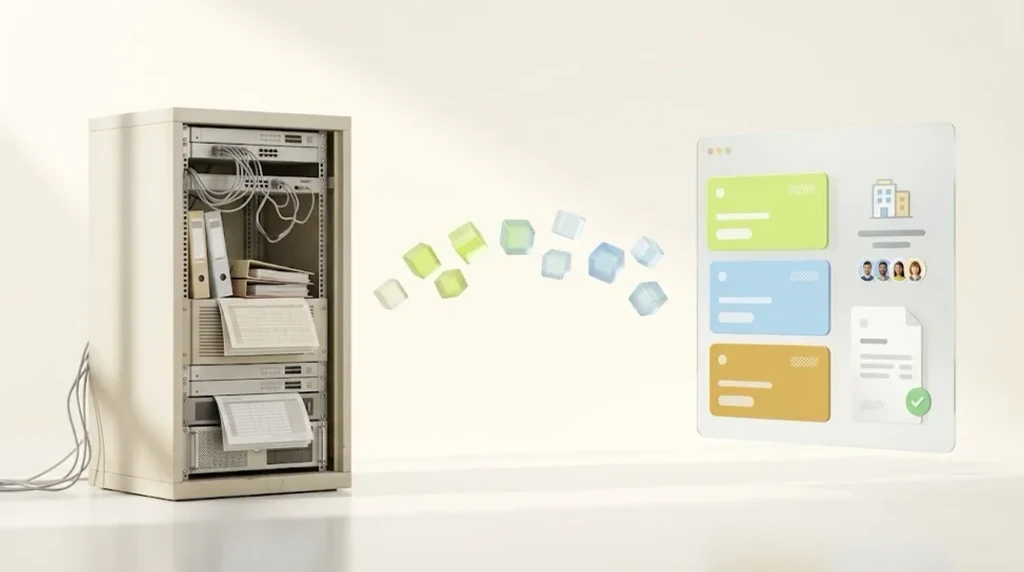
Since April 2026, Shopify offers company accounts, B2B catalogs, volume pricing and payment terms on every plan from Basic up. For OXID merchants with up to three price tiers and a standard ERP, switching without Shopify Plus is now realistic. With many customer-specific price lists, approvals with budgets or multi-tenant setups, you need Plus, a strong ERP, or you should stay on OXID.
As of November 2026. Shopify and OXID features change regularly. Sources are listed at the end of the article. This article is general orientation, not legal or tax advice.
I didn’t spend my first years in e-commerce with Shopify. I spent them with Magento, WooCommerce and OXID. So I know both sides: the freedom a self-hosted system with full source code gives you, and the price that freedom has after ten years.
When a B2B merchant with an OXID store comes to me today, the starting point is almost always similar. The store works. It has worked for years. It has customer group logic that someone built at some point and who has since left. It’s connected to an ERP that holds the actual truth about prices and stock. And it’s running on OXID 6, while OXID 7 would be a project of its own.
So the question isn’t “Is Shopify better than OXID?” The question is: Which project is worth more, the upgrade or the switch? That’s exactly what this article is for.
I’ll show you which OXID B2B features Shopify covers natively today and which it doesn’t, where Shopify hits its limits in day-to-day B2B (especially in Germany and the EU), when you really need Shopify Plus, and when you should honestly stay on OXID. Including a cost calculator where you can enter your own numbers.
Why OXID B2B merchants face a decision in 2026
Three developments are coming together right now. None of them alone would be a reason to rush. Together, they force a decision.
1. OXID 6 is phasing out, and OXID 7 is a project of its own
OXID lists version 6.5 under legacy support. According to the OXID documentation for 6.5 (German), the shop core only receives critical security updates on a best-effort basis, and the overall compilation gets no new releases. Packagist lists 6.5.5 as the latest 6.5 version. In the release plan, 7.5 is in maintenance and 7.4 is in legacy status (as of November 2026). OXID itself recommends moving to 7.x.
The problem: going from 6 to 7 isn’t an update. It’s a rebuild.
- New template engine: OXID 7 uses Twig and the APEX theme by default instead of Smarty (OXID docs on updating to 7.0). Custom themes have to support Twig.
- Modules have to be adapted: From OXID 7.0 on, only metadata version 2.0 is supported, and modules need namespaces (OXID docs on updating modules). Older custom modules don’t simply keep working.
- New system requirements: OXID 7.0 supports PHP 8.0 and 8.1 and MySQL 5.7 or 8.0 (OXID system requirements). That affects your hosting too.
For a B2B store with a custom theme and a handful of custom modules, in my experience an upgrade like this is a project of its own with real effort. And afterwards, you have the same system as before, just up to date.
2. The licensing model has changed
Until 2022, the OXID Community Edition was free to use under GPL3. Since August 15, 2022, commercial use requires a paid license, while non-commercial use stays free (see the OXID blog on the new license terms, German). According to the current OXID pricing page (as of November 2026; the page doesn’t state whether prices are net or gross):
| Edition | Price per month | Minimum term |
|---|---|---|
| Community Edition | EUR 121 | 36 months |
| Professional Edition | EUR 360 | 36 months |
| Enterprise Edition B2C | EUR 1,123 | 36 months |
| Enterprise Edition B2B | EUR 1,583 | 48 months |
On top of that come hosting, agency maintenance and ongoing development. Important for your planning: code that OXID has published since the cutoff date falls under the new license terms, and anyone who runs an update or upgrade obtains such code. So the OXID 7 upgrade is also a licensing decision. Check the exact terms in your license agreement.
3. Shopify has opened B2B to all plans
Until early 2026, the answer to “Can Shopify do B2B?” was usually: “Yes, with Plus, starting at around EUR 2,100 per month.” (according to the Shopify pricing page, from EUR 2,100 per month, as of November 2026) For many mid-sized OXID merchants, that was the reason not to seriously consider Shopify at all.
Since April 2, 2026, the core B2B features are included in the Basic, Grow and Advanced plans (context: SparkLayer, feature set per the Shopify Help Center). That has shifted the math for a large part of the OXID mid-market. Many of the “OXID vs. Shopify B2B” comparisons you’ll find online were written before this change and still assume “B2B only with Plus.”
The most important question first: where does your pricing and customer logic live?
Before you look at feature lists, answer one single question. It decides more about the effort and success of your switch than any feature table.
What is your source of truth for prices, customers and stock: your ERP or your store?
In many grown OXID B2B stores, the answer is: both, somehow. Some prices come from the ERP, some get adjusted in OXID via customer groups and discount rules. Special terms for key accounts were maintained directly in the store backend. And nobody knows exactly which rule wins when there’s a conflict.
This is exactly where it’s decided whether your move to Shopify will be easy or painful.
Scenario A: the ERP is the source of truth
Prices, customer groups and terms are maintained in the ERP. The store only displays them. In this case, the switch is mainly an integration task: a connector syncs companies, price lists and stock from the ERP into Shopify. For a comparison of the common connectors, see Connecting Shopify to Inventory Management: JTL, Xentral, Billbee and plentymarkets. That’s the ideal case.
Scenario B: the store is the source of truth
The pricing logic lives in OXID, in modules, discount rules and customer groups. The ERP only knows the orders. In that case you’re not just migrating data, you’re migrating business logic. And you first have to understand it completely before you can decide where it will live in the future.
Scenario C: mixed
The most common case. Here I almost always recommend using the migration as an opportunity to move price calculation into the ERP. Shopify is strong at displaying prices and processing orders cleanly. Complex pricing with dozens of rules, on the other hand, belongs in the ERP. That also makes you more independent for the next platform change.
A practical example for ERP connectivity: at GEFRO, a client of mine in the food sector, the ERP sync runs through Shopify Flow, and free gifts are controlled via metaobjects.
If you want to dig deeper into how store, inventory management and ERP work together, my (German) article on WMS, inventory management and ERP for Shopify explains how the systems differ.
OXID B2B features and their Shopify equivalents
This is the part you’ll look for in vain on most migration providers’ pages. They usually just say: “There’s a Shopify app for every OXID feature.” That’s not true as a blanket statement.
The following table maps typical B2B features from OXID (mainly the Enterprise B2B Edition and common modules) to their implementation in Shopify. It’s based on the feature set listed in the Shopify Help Center as of November 2026. Rows I couldn’t find documented there are marked as experience-based.
| B2B feature in OXID | Implementation in Shopify | From plan |
|---|---|---|
| Company accounts with multiple buyers | Native: companies, locations, contacts with permissions | Basic |
| Multiple shipping addresses per company | Native: company locations with their own addresses | Basic |
| Customer group pricing (up to 3 groups) | Native: B2B catalogs, assigned via markets | Basic |
| Customer group pricing (more than 3) | Native only with Plus (unlimited catalogs) or via ERP and app | Plus |
| Customer-specific price lists | Native with Plus (catalog assigned directly to company/location), otherwise ERP connector | Plus |
| Volume pricing | Native: quantity price breaks in the catalog | Basic |
| Minimum quantities, pack sizes | Native: quantity rules (minimum, maximum, increment) | Basic |
| Invoice payment with net terms | Native: payment terms (e.g. net 30) with reminders | Basic |
| Secured invoice payment with credit check | External provider (e.g. Billie, Mondu) | Basic |
| Deposits, partial payments | Native only with Plus | Plus |
| Quick order by SKU | Native: quick order list in the theme | Basic |
| Reorder from order history | Native: easy reorder | Basic |
| Customer purchase order number (PO) | Native | Basic |
| Quotes | Draft orders sent as invoices | Basic |
| Quote request in the store by the customer | App or checkout-to-draft | Basic |
| Approval workflows with budgets and limits | Not fully native, app or custom development | Plus recommended |
| Net price display for business customers | Net in B2B checkout, storefront usually needs an app | Basic |
| Separate B2B area next to B2C | Blended store with markets, context-aware only from Advanced | Advanced |
| Multi-tenant / multiple stores | One Shopify instance per store, Plus makes management easier | Plus |
| Custom checkout logic | Limited, in my experience largely Plus only (not documented) | Plus |
Three things stand out when you compare this table with your OXID store.
First: most of what a typical mid-sized B2B store uses day to day is now native. Company accounts, volume pricing, minimum quantities, net terms, quick order, reorder. In OXID, that often required the Enterprise B2B Edition or modules.
Second: the hard limit below Plus is the number of price lists. According to the Help Center, up to three active catalog assignments across all active B2B markets. Assign three catalogs to one market, and you’ve used up the allowance.
Third: approval workflows with budgets, as offered by the OXID Enterprise B2B Edition, are not a standard feature in Shopify. If you really use them (and don’t just have them in theory), check this point before anything else.
You’ll find a full overview of all B2B features, the catalog math for multiple countries and currencies, and the setup process in my article on Shopify B2B.
Where Shopify B2B hits its limits in Germany and the EU today
Most pages that want to sell you an OXID migration stay silent on this part. I think that’s a mistake. If you know the limits in advance, you plan for them. If you discover them after go-live, you pay for them twice.
Net and gross prices in the same store
Shopify controls tax display via markets, not via customer type. In the B2B checkout, Shopify correctly calculates net prices for company customers. In the storefront, on collection and product pages, you’ll see the prices configured for the market by default.
For a pure B2B store, that’s not a problem: you set the market to net prices. For a mixed store where consumers see gross prices and business customers see net prices after logging in, you’ll usually need an app or a separate B2B market. Both work, but should be tested before the migration.
Legally, there’s another aspect: the German price indication ordinance regulates price indication toward consumers, see section 1 PAngV (German). How to properly separate a B2B area is a question for your legal advisor, not your developer (not legal or tax advice).
VAT ID validation in the B2B checkout
Shopify Tax validates VAT numbers you enter on a company location with an EU or UK address (Shopify Help Center). The automatic check for the reverse charge exemption at checkout, however, is not available in the B2B-specific checkout according to okau.de (German, as of September 24, 2026, referring to Shopify’s documentation). In practice, you store the tax exemption on the company location and validate the VAT ID when you create the company. For intra-Community supplies of goods, section 6a UStG (German) requires, among other things, a valid VAT ID of the buyer from another member state. For domestic sales, the reverse charge under section 13b UStG (German) generally doesn’t apply to ordinary goods, but does for certain product groups. Have your tax advisor classify your case (not tax advice). For company customers you approve manually anyway, that’s not a big detour. For self-registration, it is.
Payment terms without risk management
The native payment terms set due dates and send payment reminders. I couldn’t find credit checks, credit limits or default protection in Shopify’s documentation, so in my assessment they aren’t part of the native feature set. If your OXID store currently works with a credit check or an invoice payment provider, you’ll need an external provider like Billie or Mondu on Shopify as well. Mondu states it takes on the default risk; Billie’s app listing doesn’t spell out the terms. Clarify fees and conditions directly with the provider. You’ll find more on the options in my (German) article on Shopify payment methods.
Limitations in the B2B checkout
The B2B checkout isn’t a full B2C checkout with a company account attached. According to the Shopify Help Center, accelerated checkouts such as Shop Pay, Apple Pay or Google Pay aren’t compatible with B2B. For most B2B buyers that doesn’t matter, they pay by invoice. For merchants with many small-business customers who like paying by credit card, it’s worth knowing.
Customizability
In OXID you can rebuild the checkout down to the last line. In Shopify, checkout customization is much more limited, and customizations made via checkout.liquid are not compatible with B2B according to the Help Center. I couldn’t find documented how far extensions go on which plan; in my projects, deep changes were mostly reserved for Plus. If you have a highly customized order flow with extra fields, approval steps or cost center logic today, you’ll have to either simplify it or plan with Plus.
Do you need Shopify Plus? The decision in four questions
Since April 2026, Plus is no longer automatic for B2B. These four questions help you decide.
- Do you need more than three price lists? If so, there’s hardly a way around Plus, unless your ERP handles price calculation entirely and a connector writes the prices into the store via an app.
- Do you need price lists per company instead of per customer group? According to the Shopify Help Center, direct catalogs for individual companies and locations are only available with Plus.
- Do you work with deposits or partial payments? For example for custom-made products or large project orders. According to the Help Center, both are Plus only.
- Does the checkout need to be customized? Extra fields, custom validations, cost centers. In my experience, that’s essentially only possible with Plus.
If you answer no to all four questions, Grow or Advanced is enough. You mainly need Advanced if you want to run B2B and B2C in the same store with a context-aware storefront and checkout via markets.
If you say yes once or twice, run the numbers on Plus. The price alone isn’t a deal-breaker: Plus starts at EUR 2,100 per month (Shopify pricing), OXID Enterprise Edition B2B costs EUR 1,583 per month for the license alone (OXID pricing), plus hosting and maintenance on the OXID side (as of November 2026). Whether Plus is cheaper overall depends on your hosting and maintenance costs. You’ll find a detailed calculation in my (German) article on the Shopify Plus upgrade.
What does the switch cost? Upgrade vs. migration
Price quotes for an OXID migration online are extremely far apart. That’s because they mean completely different things:
- Plain data transfer: products, customers and orders via a migration tool or script. For a B2C store with a standard structure, this is the smallest item.
- Full B2B project: data transfer plus rebuilding pricing and customer logic, ERP integration, theme, checkout configuration, SEO migration, testing and customer onboarding. This is where most of the effort lies, especially with complex pricing logic and several connected systems.
For B2B merchants, the second scenario is almost always the relevant one. And you don’t compare it against zero, you compare it against the OXID 7 upgrade plus the ongoing costs of the next few years.
Enter the amounts from your quotes in the calculator. Licenses and plans are prefilled, everything else depends on your store.
OXID cost calculator: stay or switch to Shopify?
The costs that don’t show up in any calculation
Three items are missing from almost every calculation, including my calculator, because they’re hard to put a flat number on.
Dependence on individual people. In many OXID stores, there’s exactly one developer or a small agency who really understands the code. If that person drops out, every change becomes expensive. In my assessment, the OXID developer market is small and unlikely to grow. This risk is real, even if it doesn’t appear on the invoice.
Internal staff time. A B2B migration ties up sales, customer service and accounting for weeks. Plan realistically who on your team will invest how many hours.
Speed. How long does it take today to launch a new payment method, a new pricing rule or a landing page? On Shopify, much of that is configuration instead of development. Only you can judge how much that’s worth to you.
What’s different about the data migration in B2B
I’ve covered the general migration process and SEO protection in detail in separate (German) articles: 12 questions to ask before a Shopify migration and SEO during a Shopify relaunch. Here, I’ll focus on the points that are different in B2B compared to a consumer store.
Company accounts instead of customer accounts
In OXID, a B2B customer is usually a user account with a customer group and a company name. In Shopify, a company is a separate object with locations and contacts. So during the migration you have to build a structure out of flat customer data: which user accounts belong to which company? Which address is a location, and which is just an alternative shipping address? Who’s allowed to order, and who can only view?
That sounds like grunt work, but it’s a business decision. Don’t let the migration script make it.
Passwords and multi-user companies
For security reasons, passwords can’t be transferred. Customers get an invitation and set a new password. For consumers, that’s a newsletter with an explanation. For company customers with five buyers per company and fixed ordering routines, it’s a communication project.
My advice: inform your most important company customers personally, through field sales or customer service, before the automatic invitation goes out. A buyer who can’t order on Monday morning will call. One who was warned in advance won’t.
Order history as a working tool
In B2C, order history is mainly an archive. In B2B, it’s a tool: many customers reorder by opening an old order and repeating it. So check how many years of history you really need to transfer and whether the SKUs will still match the old orders after the migration. Otherwise, reordering won’t work for exactly your most loyal customers.
SKUs and variants
B2B customers order by SKU. These must stay exactly the same after the migration, including leading zeros and special characters. The variant structure from OXID can’t always be transferred one to one either: According to the Help Center, Shopify allows up to three options and up to 2,048 variants per product. I explain how to plan variant logic properly in my (German) article on Shopify variants.
Customer group URLs and SEO
B2B stores often have large sections that are only visible after login, plus a public catalog that’s found via Google. For the public part, everything that applies to any migration applies here too: complete redirect mapping, indexing checks, monitoring after go-live. OXID stores often have SEO URLs with many variants that have grown over the years. For older, large catalogs, in my experience the number of redirects can get very large, sometimes in the five-figure range.
The rollout: why B2B can’t handle a big bang
For consumer stores, go-live is a cutover date: redirect the old domain, the new store goes live, done. In B2B, I almost always recommend a staged rollout.
Stage 1: pilot customers. Five to ten company customers you have a good relationship with order in the new store for two to four weeks. They find the errors no test plan finds: the SKU with a space in it, the shipping address that wasn’t set up as a location, the price break that calculates incorrectly.
Stage 2: active existing customers. All company customers with orders in the last twelve months get their invitation, ideally in waves by revenue size or region, so your customer service doesn’t get 400 calls in one day.
Stage 3: the public switch. Only once existing customers are ordering reliably do you switch the redirects and the public catalog.
That takes longer than a big bang. But it’s the safest way not to lose revenue in B2B. A company customer who couldn’t order twice will place the third order with a competitor.
Do you know which of your OXID features Shopify covers natively?
In the OXID migration check, we go through your B2B features together: what Shopify handles natively, what needs Plus, what belongs in the ERP and what can be dropped. Afterwards, you'll know whether the switch is worth it and what it will realistically cost.
When you should stay on OXID
For years, I’ve mainly advised on Shopify. Still, I explicitly advise some OXID merchants against switching. These situations speak for staying:
- You’ve just upgraded to OXID 7. Then the biggest cost block of the coming years has already been paid. A switch usually only makes sense again when the next big project comes up.
- Approval processes with budgets are business-critical. If your customers are large organizations with purchasing departments and multi-level approvals are actually used every day, the OXID Enterprise B2B Edition is built for that. Shopify isn’t.
- Your price calculation lives in the store and can’t be moved to the ERP. Hundreds of customer-specific price lists with complex rules that only the store knows are a major project on Shopify.
- You run true multi-tenant operations. Many stores with a shared data foundation, different assortments and central management are a strength of the OXID Enterprise editions.
- You have a strong in-house OXID team. If your own developers have known OXID for years and actively develop the system, the dependency risk largely disappears.
And when Shopware is the better alternative
Shopify isn’t the only alternative. For some OXID merchants, Shopware 6 is the more obvious choice: also from Germany, with self-hosting if desired, and a data model that feels more familiar to OXID developers.
Shopware is a better fit if you need full data control and your own hosting, want to build a lot of custom logic into the store itself, or already have a development team with PHP expertise. Shopify is a better fit if you no longer want to be responsible for operations, hosting and security updates, if your pricing logic lives (or can live) in the ERP, and if you want to ship new features faster.
An honest recommendation only emerges from your specific feature inventory. Blanket answers in one direction or the other are usually sales.
What an OXID inventory typically looks like
In my experience, the pattern of a feature inventory for a grown OXID B2B store looks like this: at the start, the list contains 30 to 40 installed modules and customizations. After comparing them with the features actually used and the order data from the last twelve months, they sort into four groups.
- Native in Shopify: company accounts, volume pricing, minimum quantities, invoice payment with net terms, quick order, reorder. Usually the largest group.
- Via app or ERP connector: net price display, invoicing, credit checks, syncing prices and stock.
- No longer needed: modules that were workarounds for problems of the old system. Performance caches, security patches, helper modules for old interfaces. This group is often underestimated.
- Real sticking points: usually one to three features that determine the decision. Approval workflows, a special pricing logic, an unusual interface.
The decision almost always comes down to group 4. That’s why it pays to clarify exactly these points first, before anyone writes a quote for the full migration.
Checklist: B2B feature inventory before switching from OXID
OXID to Shopify: B2B Feature Inventory
Go through these points with your team before you request quotes. Every open point is a cost risk in the project.
Starting point
- Current OXID version and edition documented6.x or 7.x? Community, Professional, Enterprise B2C or B2B?
- Term and notice period of the OXID license agreement checkedSubscription terms run 36 to 48 months
- All installed modules and custom developments listed
- Checked for each module whether it was used in the last 12 months
Pricing and customer logic
- Clarified where prices are maintained as the source of truth: ERP or store
- Number of customer groups and price lists countedMore than 3 active B2B catalogs require Shopify Plus
- Customer-specific special prices recorded and their origin clarified
- Volume pricing, minimum quantities and pack sizes documented
- Approval workflows and budgets: actual usage checked
Company customers
- Mapping of user accounts to companies clarifiedWhich accounts belong to the same company, which addresses are locations?
- Permissions per buyer defined (order, view only, manage location)
- VAT IDs for EU company customers complete and validated
- Communication plan for password reset createdInform key customers personally in advance
- Pilot customers for the staged rollout selected
Payment, taxes, checkout
- Payment terms per customer group documented
- Decided whether a credit check or invoice payment provider is needed
- Net price display in the storefront testedPure B2B store or mixed with B2C?
- Need for deposits or partial payments clarifiedOnly with Shopify Plus
- Custom checkout fields and validations listed
Data and SEO
- SKU format including special characters and leading zeros secured
- Scope of order history to be transferred defined
- Complete URL list including variant and login URLs exported
- Redirect mapping planned and post-go-live monitoring scheduled
Conclusion: don’t migrate the platform, migrate the logic
For B2B merchants, switching from OXID to Shopify was long a question of budget: it didn’t work without Shopify Plus, and Plus was too expensive for many mid-sized businesses. Since April 2026, that hurdle has become much lower. For a large share of OXID B2B stores with manageable pricing logic, Shopify is now a realistic and often cheaper alternative to the OXID 7 upgrade.
But the success of the switch isn’t decided by the platform. It’s decided by whether you know beforehand where your pricing and customer logic lives, which features are actually used, and which two or three points are truly critical. If you clarify that properly, you migrate predictably. If you skip it, you rebuild the old system’s problems in the new one.
If you’re facing this decision right now: start with the inventory, not with quotes. And if you need a sparring partner who knows both systems and has no interest in selling you one or the other, get in touch. You’ll find more about my approach on the (German) page on Shopify migration.
Upgrade or switch? Let's figure it out in 30 minutes.
In a free initial call, we look at your OXID store, your pricing logic and your ERP. You'll get an honest assessment of whether switching to Shopify is worth it, or whether you're better off staying.
Want to find out where your current store is leaving revenue on the table first, regardless of the platform question? Then the free intro call is the right place to start.
Frequently asked questions about switching from OXID to Shopify
Is it worth switching from OXID to Shopify for B2B merchants?
For B2B merchants with up to three price tiers, a standard ERP and invoice payment with net terms, the switch usually pays off, because since April 2026 Shopify offers company accounts, catalogs, volume pricing and payment terms on every plan from Basic up. With many customer-specific price lists you need Shopify Plus. With multi-level approvals and budgets, true multi-tenant operations or a freshly completed OXID 7 upgrade, staying is often the better decision.
Can Shopify handle customer-specific pricing like OXID?
Partly. On the Basic, Grow and Advanced plans you can have a maximum of three active B2B catalogs, and catalogs can only be assigned to markets, not directly to a company. Unlimited catalogs assigned directly to companies and locations are only available on Shopify Plus. If you maintain hundreds of customer-specific price lists in OXID today, move price calculation into your ERP and sync it to Shopify via a connector.
Do I need Shopify Plus for B2B?
Not anymore. Since April 2, 2026, the core B2B features (companies, locations, catalogs, quantity rules, volume pricing, payment terms, quick order list) are included in the Basic, Grow and Advanced plans. You need Plus if you require more than three price lists, catalogs per company, deposits or partial payments, or a customized B2B checkout.
How much does a B2B migration from OXID to Shopify cost?
A reliable price only exists after an assessment of your store. The effort depends mainly on whether only data moves or whether pricing and customer logic, ERP integration, theme and SEO migration are rebuilt. Compare that with the OXID 7 upgrade plus ongoing license, hosting and maintenance costs (license from EUR 121 per month per the OXID pricing page, as of November 2026). You get an assessment for your store in the free intro call.
What happens to my OXID modules when I move to Shopify?
OXID modules cannot be transferred. Each function is assessed individually: is it native in Shopify, is there an app, does the logic belong in the ERP, or is it no longer needed? This inventory often removes quite a few modules, because they were workarounds for problems that don't exist on Shopify.
Is OXID eShop being discontinued?
No. OXID eSales continues to develop OXID 7; according to the release plan, 7.5 is in maintenance (as of November 2026). The Community Edition has required a paid license for commercial use since August 2022. OXID 6.5 is in legacy support and only receives critical security updates on a best-effort basis. If you're on OXID 6, you'll have to plan a larger project either way: upgrade or switch.
Can Shopify show net prices to business customers?
In the B2B checkout, Shopify calculates net prices for company customers. Price display in the storefront, however, depends on the market, not the customer type. If you want to show consumers gross prices and business customers net prices in the same country, you'll usually need an app or a separate B2B market. Test this before the migration, not after.
Sources
- Shopify Help Center: B2B features by plan: plans, catalog limit, deposits, markets (as of November 2026)
- Shopify Help Center: B2B considerations: incompatibilities in the B2B checkout (as of November 2026)
- Shopify Help Center: Companies: tax settings, VAT number on company locations (as of November 2026)
- Shopify: Pricing (German): plan prices, Plus from EUR 2,100 (as of November 2026)
- SparkLayer: Shopify B2B on All Plans: context on B2B for all plans (April 2026)
- okau.de: Shopify B2B, net prices and VAT IDs (German): limits of price display and VAT ID validation (September 2026)
- OXID eSales: Pricing and editions: license prices and terms (as of November 2026)
- OXID eSales: New license terms for the Community Edition (German): cutoff date August 15, 2022
- OXID documentation: Release plan: support status of 6.5 and 7.x (as of November 2026)
- OXID documentation: Updating from 6.5 to 7.0: Twig as default engine
- OXID documentation: Modules for OXID 7: metadata 2.0 and namespaces
- Gesetze im Internet: section 6a UStG (German): conditions for intra-EU supplies

Christian Schmelzle
Shopify expert · e-commerce consultantI'm a Shopify consultant and the founder of the Shopify agency digitalsprung. I have worked in e-commerce for more than 12 years, and since 2017 I have helped D2C brands and online retailers with migrations, relaunches and conversion optimization. What I write here comes from more than 100 of my own Shopify projects.
- 100+ Shopify projects
- 12+ years in e-commerce
- Shopify Partner